
Submission Guideline
Website Journal
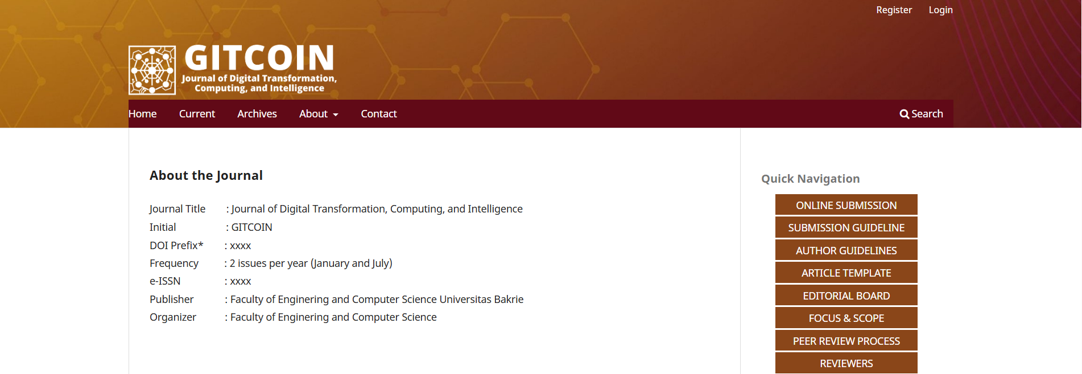
When authors access the journal website at https://ojs.bakrie.ac.id/index.php/GITCOIN, the homepage will appear as shown in the example image below. To begin the submission process, authors should go to the QUICK NAVIGATION menu on the left side of the website and click "ONLINE SUBMISSION."
Registration of Journal Account
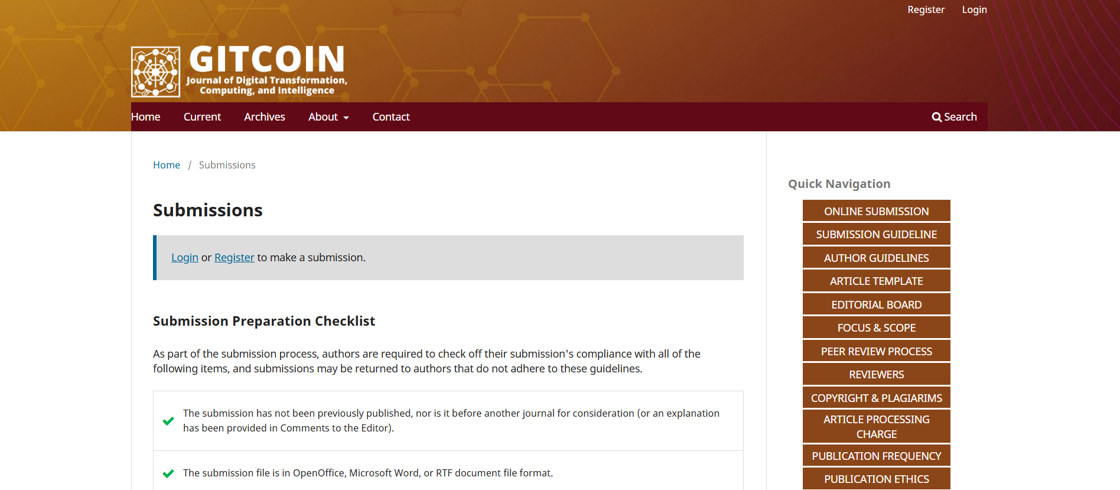
After selecting "ONLINE SUBMISSION," authors will be redirected to the login or account registration page. Authors who do not yet have a journal account should click "Register" to create a new account.
During the registration process, authors are required to complete the form by providing information such as First Name, Last Name, Affiliation, Country, Email, Username, Password, and Confirm Password. After completing the form, click the "Register" button.
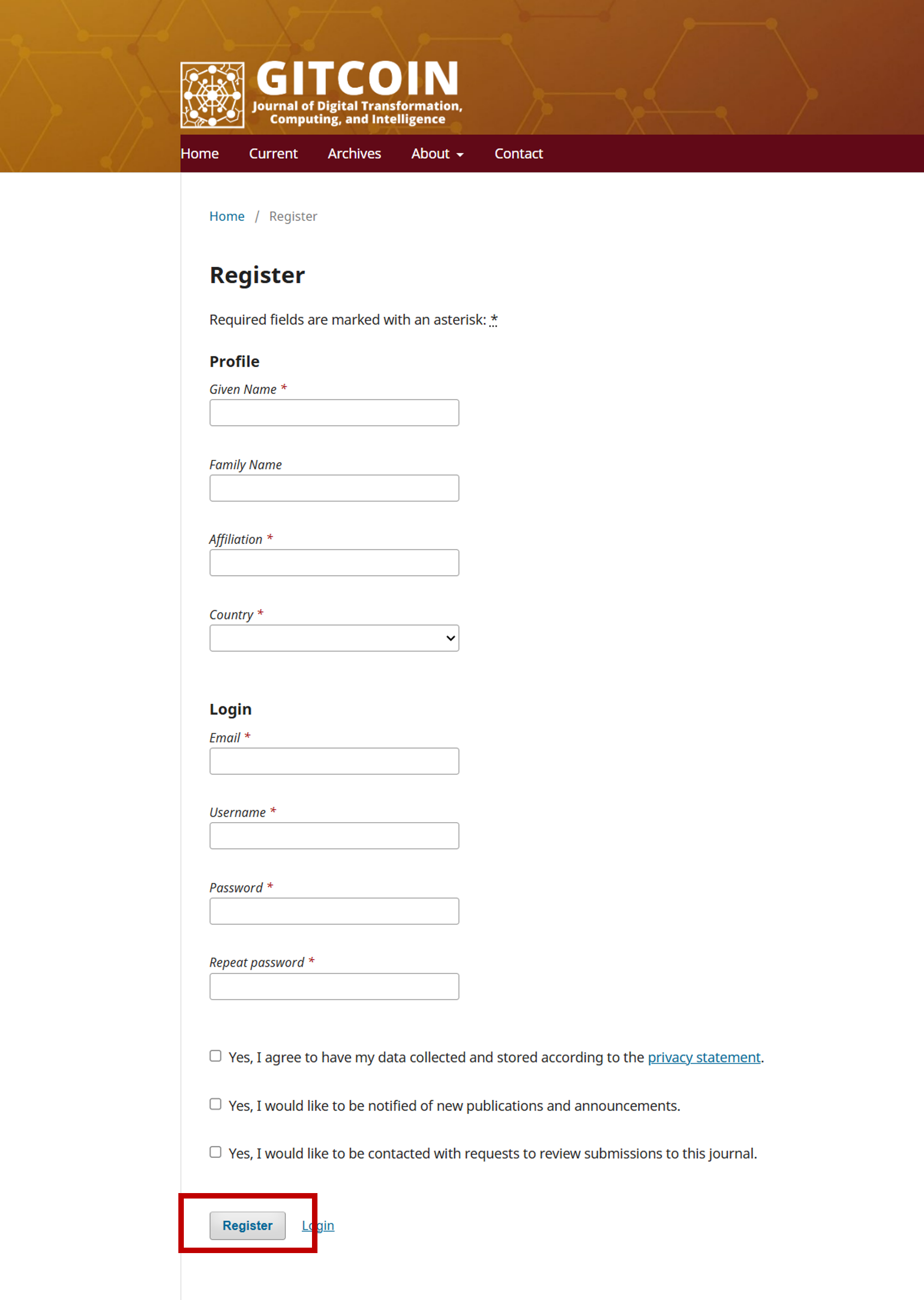
Important note: Usernames must consist only of lowercase alphanumeric characters, underscores, and hyphens, and must begin and end with an alphanumeric character.
Submission Process
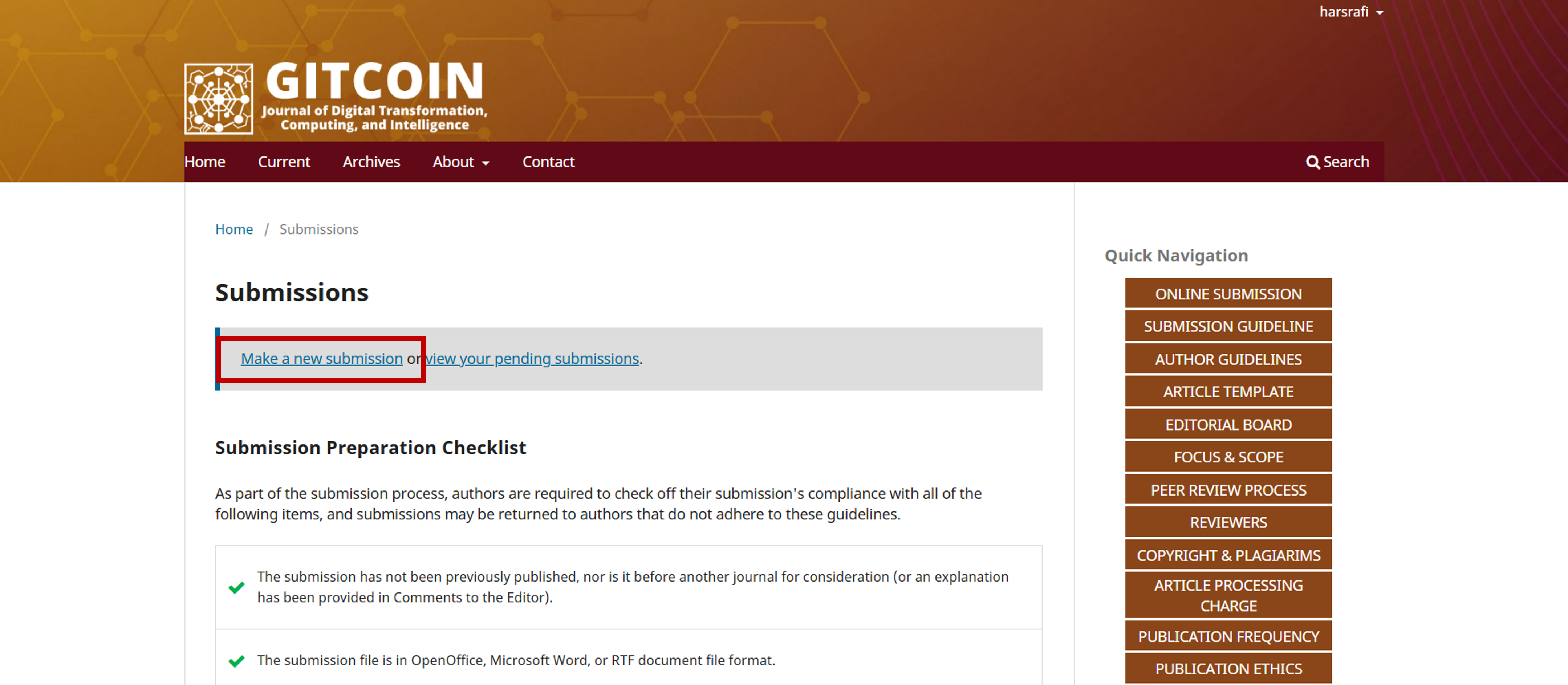
After completing the registration process and logging in to the journal system, authors will see the dashboard page, as shown in the example image below. To begin the submission process, authors should click "Make a new submission."
Guideline for Submission
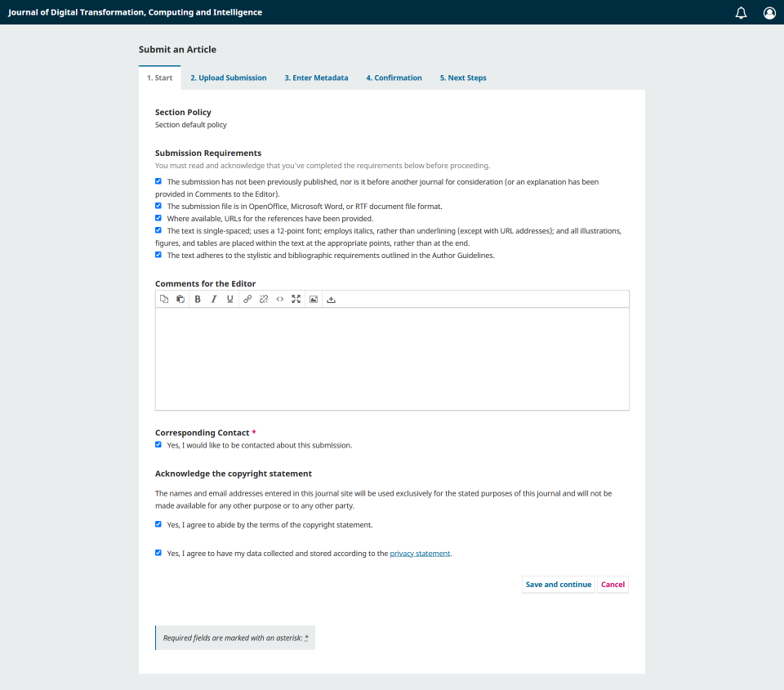
After clicking "Make a new submission," authors will be directed to the first step of the submission process, namely "Start." On this page, authors must read and confirm the submission requirements by checking the available boxes. Authors may also provide comments for the editor, confirm the corresponding contact option, and agree to the copyright and privacy statements. After completing all required fields, click "Save and continue" to proceed to the next step.
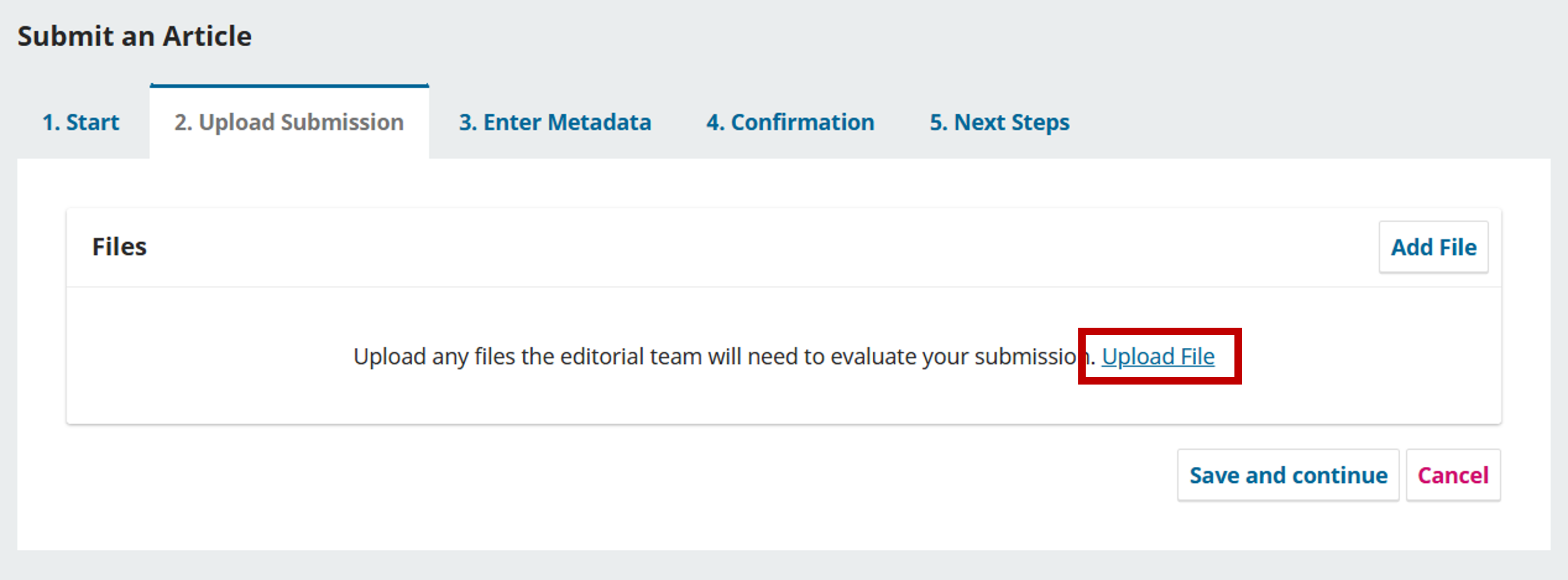
Authors will then be directed to the next step, "Upload Submission." In this step, authors should first click "Upload File" and select the appropriate type of article component.
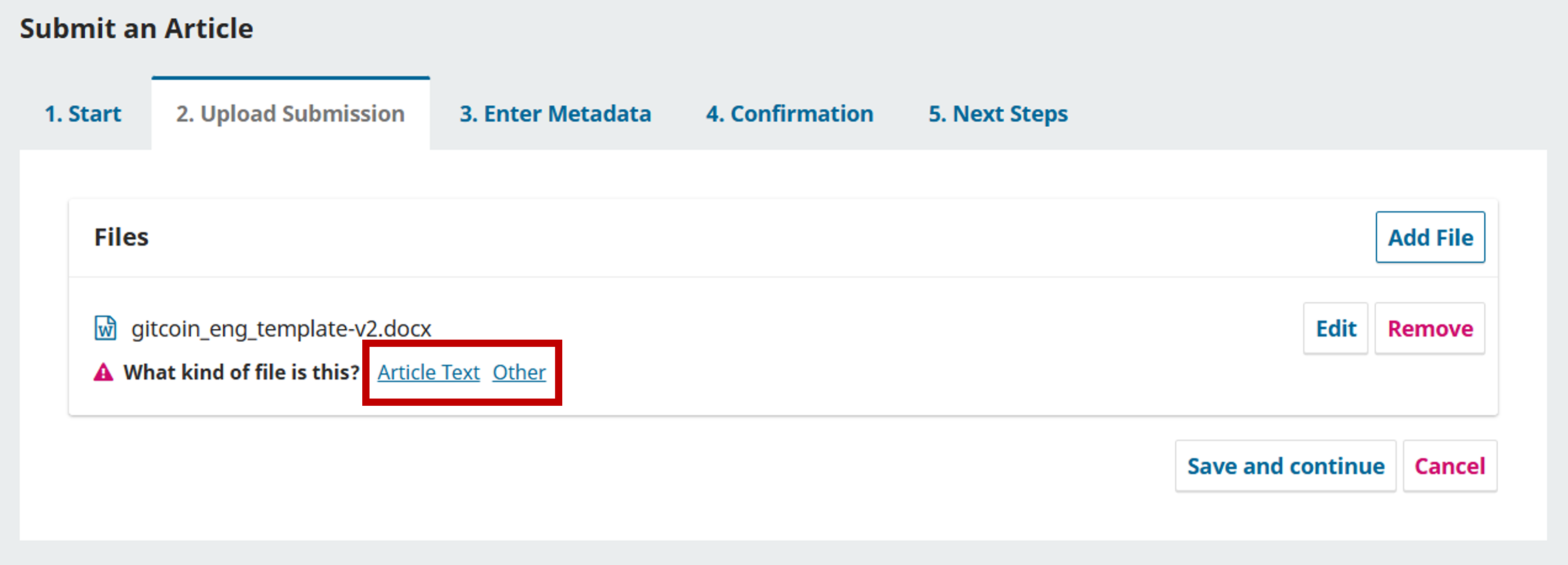
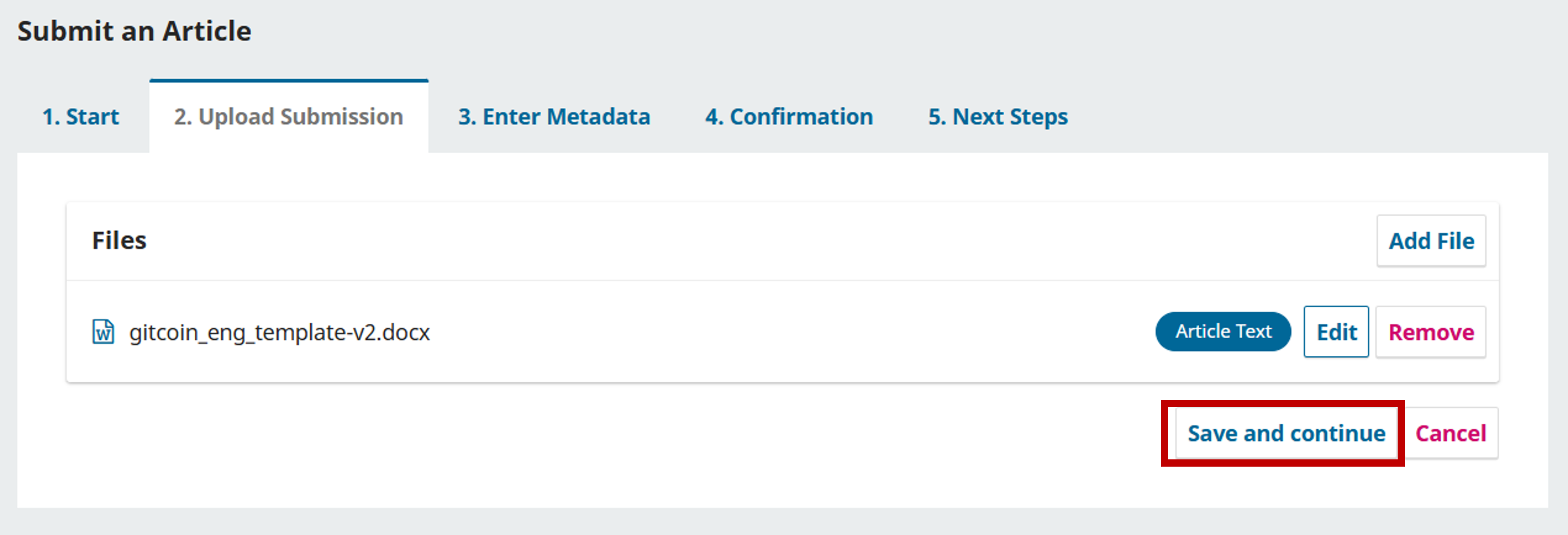
After the file has been uploaded, the uploaded manuscript will appear in the "Files" section. Authors must then specify the type of file by selecting the appropriate article component, such as "Article Text" for the main manuscript file or "Other" for additional supporting files. Authors may also edit or remove the uploaded file if needed. Once the file type has been selected and the file is correct, click "Save and continue" to proceed to the next step.
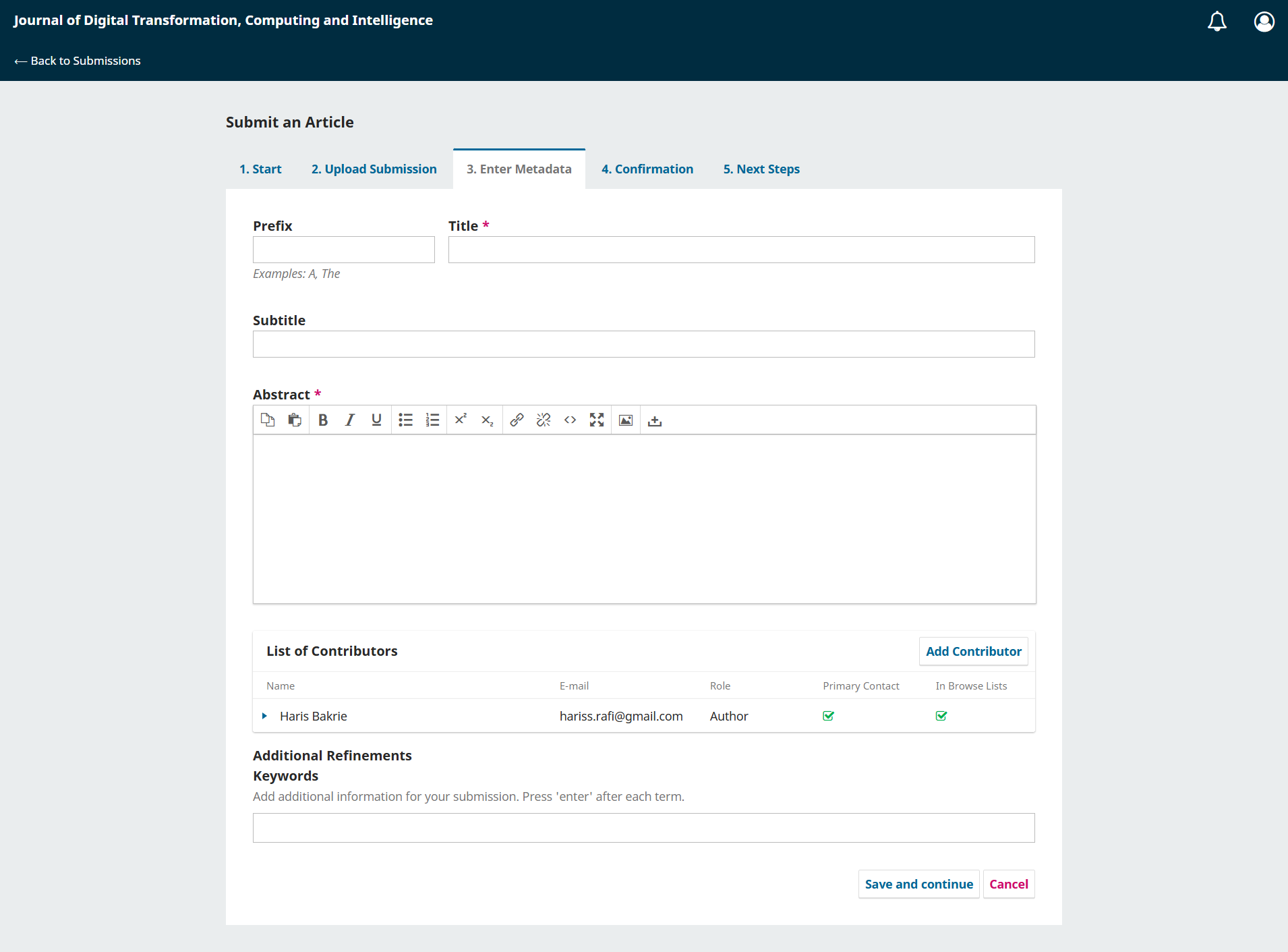
In the third step, "Enter Metadata," authors are required to complete the manuscript information, including the title, subtitle if any, abstract, list of contributors, and keywords. Authors may also add other contributors by clicking "Add Contributor." After all required metadata has been filled in correctly, click "Save and continue" to proceed to the confirmation step.
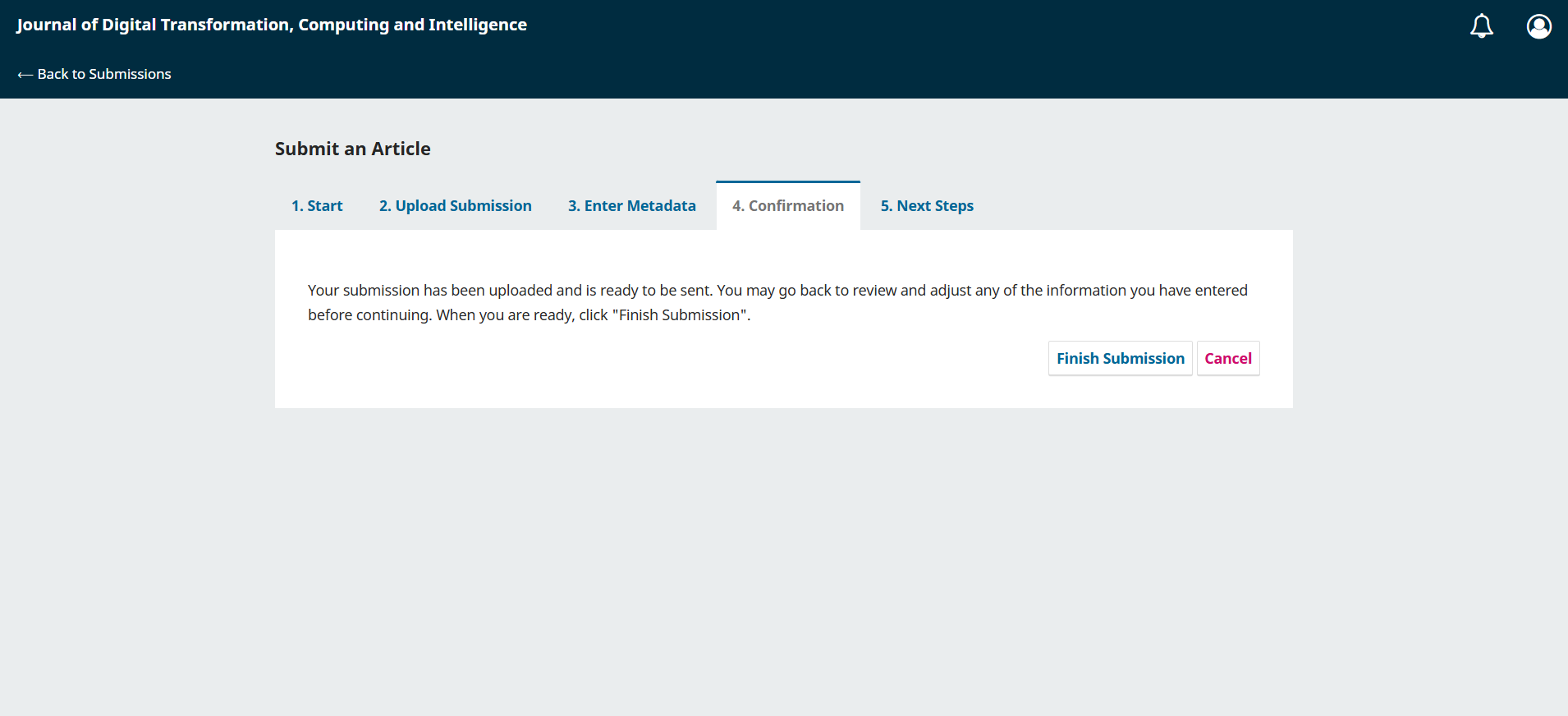
In the fourth step, "Confirmation," authors can review the submission before sending it to the journal. At this stage, the submission file and metadata have been uploaded and are ready to be submitted. Authors may go back to the previous steps if they need to review or revise any information. If all information is correct, click "Finish Submission" to complete the submission process.
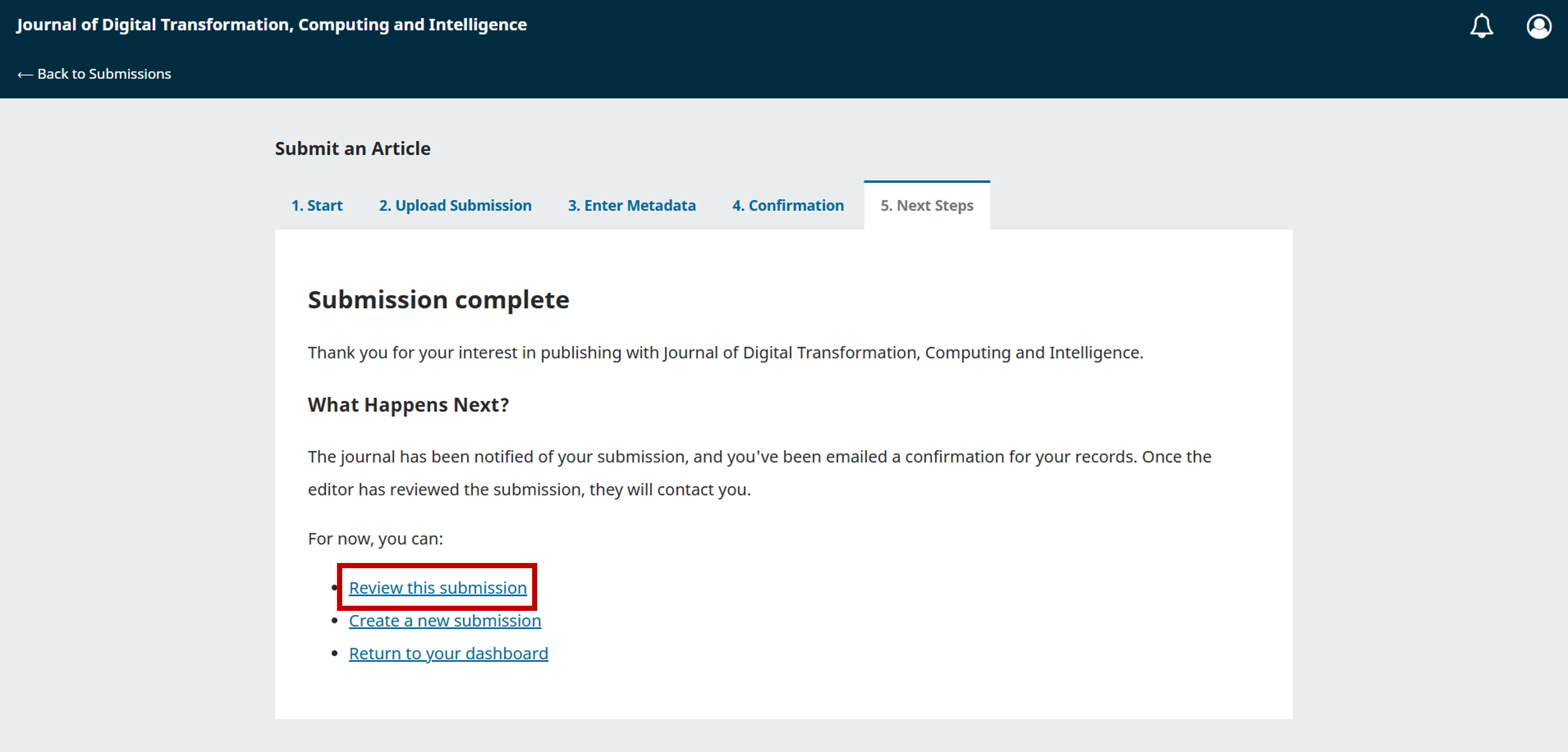
After clicking "Finish Submission," the submission process will be completed, and the "Next Steps" page will be displayed. On this page, authors will receive a confirmation that the journal has been notified of the submission and that a confirmation email has been sent. To check the submitted manuscript and review the submission details, authors should click "Review this submission."
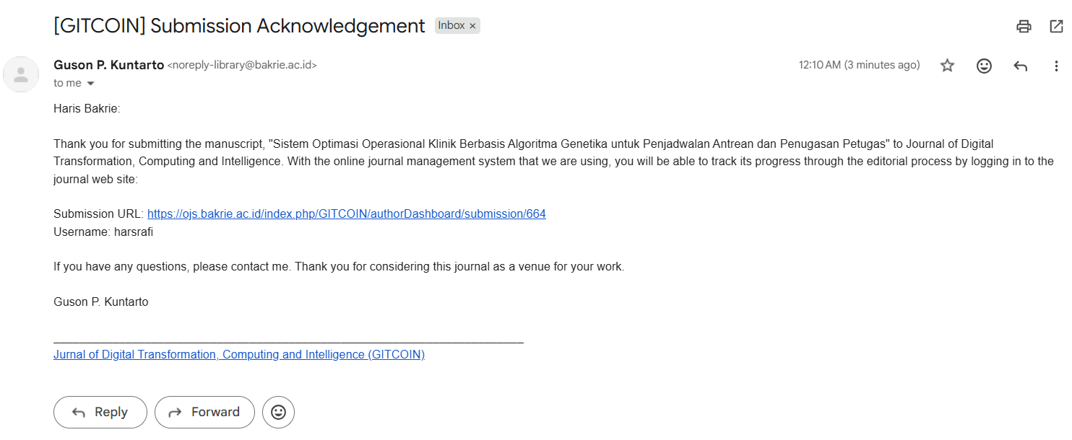
To confirm that your manuscript has been submitted successfully, please check your email. The system will send a notification email, as shown in the example image below.
This manual guidebook is created to help the authors with the submission process. If you still have any difficulties or any questions please feel free to contact us via https://ojs.bakrie.ac.id/index.php/GITCOIN/about/contact.